Share Dashboard
You can share a dashboard with multiple users. You can also delete an existing user from a shared dashboard.
Perform the following steps to share the Dashboard with other users:
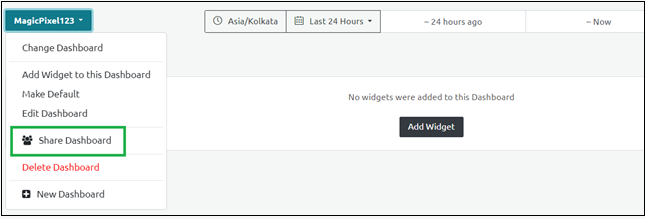
- Select the Share Dashboard option from the newly created dashboard option.
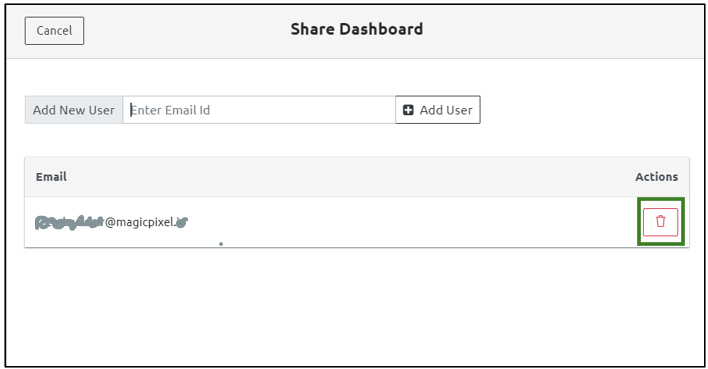
- Enter the e-mail ID in the Add New User field and click Add User.
Note: A notification is triggered to the users about the dashboard details.
Perform the following steps to stop sharing a Dashboard with a user.
Select the Share Dashboard option from the dashboard screen.
Click the Delete icon against the user's e-mail ID to delete the user from the shared dashboard.
Step Result: The user details are successfully saved.